There are affiliate links on this page.
Read our disclosure policy to learn more.
Email Scam: Did you receive an Email claiming New information from BlueCross about your 2026 Coverage
Email and Online Scams -
Have You Received a Scam Email?
BlueCross BlueShield, claiming New information from BlueCross about your 2026 Coverage
Did you receive an email from BlueCross BlueShield, claiming New information from BlueCross about your 2026 Coverage? Did they then instruct you to click on a link or something similar?
Well, don't fall for it. It is a scam, and if you call them back or follow their instructions you will lose money and possibly your identity! The people behind this are the worst kind of human scum; willing to do anything to scare, threaten, lie, cheat and steal money from anyone, including the elderly and poor. They usually operate out of Nigeria, China, Russia and even some developed western countries. Attachments typically include malware to infect your computer, tablet or phone and allow the scammer to capture your passwords. .The "get started" link goes to a scam page, http://www.simpleuman.com/castors
-
Report received:
From: BCBS Member Services <bcbs-visit@smarthollowdm.app>
Sent: Friday, December 26, 2025 4:22 PM
To: <your email address>
Subject: Your health kit ships this weekendBlueCross BlueShield
From: BIueCross Plan Revisions <BIueCrossPlanRevisions@simpleuman.com>
Date: January 28, 2026 at 2:15:42 PM EST
To: your email address
Subject: New information from BlueCross about your 2026 Coverage
Reply-To: BIueCrossPlanRevisions@simpleuman.com
BlueCross BlueShield
2026 plan update and a Medicare kit Reservation
BlueCross BlueShield is providing a Medicare Kit to residents in your area. The kit is provided at no charge to households in your area. One kit per household. A total allocation of 800 kits is available. The program allocation ends Tomorrow.
Along with your kit, optional plan coverage for 2026 is available for review. You will not be billed for the kit. If you would like to view your plan information and the kit details, use the link below to get started.
View Plan Options + Kit Details
What the kit includes
Each household receives one kit. Contents are provided as part of the program; quantities are determined by program allocation.
Digital thermometer
Easy-read display for home monitoring
Arm blood pressure cuff
Reusable cuff with clear instructions
Pulse oximeter
Clip-on sensor for quick oxygen checks
7-day medication organizer
Labeled compartments to help manage doses
Basic first-aid kit
Bandages, antiseptic wipes, and gauze
Compression socks (pair)
One-size-fits-most support socks
If you have questions about the kit or the optional 2026 plan materials, please use the link above to view details relevant to your household. One kit per household; provided at no charge to households in your area.
Thank you for choosing BlueCross BlueShield. We value your trust and are here to help.
Yes, I can outline a plan for the potluck. Start with a short list of the main course, sides, and desserts already assigned. Then ask each guest to note any dietary preferences so alternates can be prepared. Offer two times for drop-off and accept whichever is easier for most people. Suggest labels on dishes with ingredients to avoid confusion. Include a reminder about plates and utensils if we are not providing disposables. Create a shared checklist for setup and cleanup and assign two people to each task for backup.
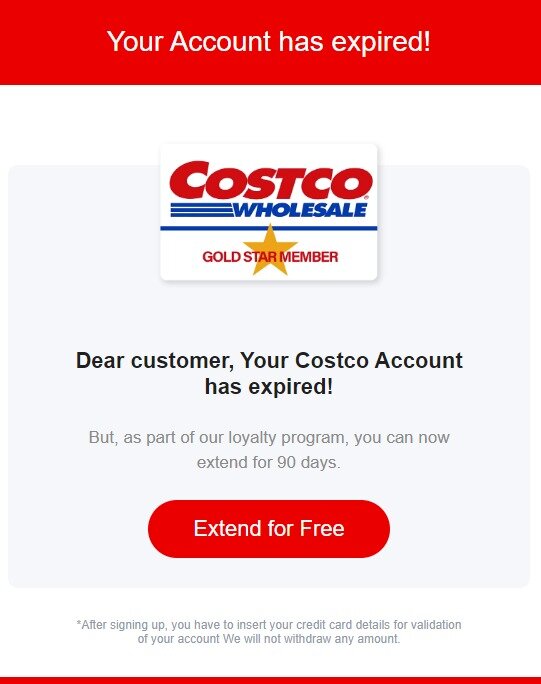
Information About BlueCross BlueShield, claiming New information from BlueCross about your 2026 Coverage
There are several websites that focus on reports of scam Emails.
The links below go to pages on these other websites were you can read reports about the scams associated with this phone number (BlueCross BlueShield, claiming New information from BlueCross about your 2026 Coverage):
- Microsoft Safety and Security Center
- Microsoft Community - Windows Support Scam - I was called by someone who said they were windows support and my computer was sending them warnings and messages!
- ARS Technica
It is a scam
Don't fall for it. It is a scam.
What to do
Just ignore it and delete the email. Do not click on anything in the email.
Apple offers the following advice:
If you get a suspicious Email:
Scammers spoof phone numbers and use flattery and threats to pressure you into giving them information, money, and even iTunes gift cards. Always verify the caller's identity before you provide any personal information. If you get an unsolicited call from someone claiming to be from Apple, hang up and contact us directly.
Tech support scams are an industry-wide issue where scammers use scare tactics to trick you into paying for unnecessary technical support services that supposedly fix contrived device, platform, or software problems.
Scammers may call you directly on your phone and pretend to be representatives of a software company. They might even spoof the caller ID so that it displays a legitimate support phone number from a trusted company. They can then ask you to install applications that give them remote access to your device. Using remote access, these experienced scammers can misrepresent normal system output as signs of problems.
Cybercriminals don't just send fraudulent email messages and set up fake websites. They might also call you on the telephone and claim to be from Microsoft. They might offer to help solve your computer problems or sell you a software license. Once they have access to your computer, they can do the following:
Trick you into installing malicious software that could capture sensitive data, such as online banking user names and passwords. They might also then charge you to remove this software.
See these pages for guidance as applicable to your specific situation:
- If you are certain you don't owe a debt: What to do about harassing Emails
- If you may owe a debt: Debt collection Emails - what they may do, what the may not do and how to stop them
- If you are being harassed by the collector: file a compliant against a debt collector with the FTC - Use this form to submit a complaint to the Federal Trade Commission (FTC) Bureau of Consumer Protection about a particular company or organization..
- How to stop telemarketers
Protect Yourself:
The following documents and websites can help you learn more about phishing and how to protect yourself against phishing attacks.
- Avoiding Social Engineering and Phishing Attacks
- Protecting Your Privacy
- Understanding Web Site Certificates
- Anti-Phishing Working Group (APWG)
- Federal Trade Commission, Identity Theft
- Recognizing and Avoiding Email Scams
Methods of Reporting Phishing Email to the US Government
- In Outlook Express, you can create a new message and drag and drop the phishing email into the new message. Address the message to phishing-report@us-cert.gov and send it.
- In Outlook Express you can also open the email message* and select File > Properties > Details. The email headers will appear. You can copy these as you normally copy text and include it in a new message tophishing-report@us-cert.gov .
- If you cannot forward the email message, at a minimum, please send the URL of the phishing website.
* If the suspicious mail in question includes a file attachment, it is safer to simply highlight the message and forward it. Some configurations, especially in Windows environments, may allow the execution of arbitrary code upon opening and viewing a malicious email message.
For More Information About Phishing, See:
- Click Here for a copy of NCL's Phishing Brochure. Requires Adobe Acrobat Reader'.
-
How Not to Get Hooked by a 'Phishing' Scam
[PDF version]
Offers tips on how to avoid falling victim to a new type of spam scam in which consumers are deceived into handing over personal financial information. -
Is Someone "Phishing" for Your Information? [PDF version]
Cautions consumers about emails that claim to be from government agencies in an attempt to steal personal information. - Digital PhishNet Web site.
- Phish Report Network - a cooperative effort by several companies providing an information clearinghouse that will be run by WholeSecurity, a provider of client-side security solutions.
- Internet Crime Prevention & Control Institute, a cooperative effort between Zero Spam Network Corp. and the University of Miami. Staffed by Miami undergraduate and graduate students and Zero Spam employees, works closely with the Secret Service's Electronic Crimes Task Force and ISPs in the United States and abroad to identify and block traffic to machines hosting phishing sites.
There are several websites that focus on reports of scam Emails.
The links below go to pages on these other websites were you can read reports about the scams associated with this phone number (855-687-1444, claiming This is Microsoft. This call is to inform you that your Microsoft license key has expired):
- Microsoft Safety and Security Center
- Microsoft Community - Windows Support Scam - I was called by someone who said they were windows support and my computer was sending them warnings and messages!
- ARS Technica
Related Scams
There are a number of common telephone scams, such as:
and some new and as yet, uncommon scams.
For a comprehensive list of national and international agencies to report scams, see this page.